参考的是官网文档:https://docs.kubesphere.com.cn/v4.2.1/03-installation-and-upgrade/02-install-kubesphere/02-offline-install-kubernetes-and-kubesphere/#_%E5%9C%BA%E6%99%AF%E4%BA%8C%E5%B7%B2%E6%9C%89%E7%A7%81%E6%9C%89%E9%95%9C%E5%83%8F%E4%BB%93%E5%BA%93
已经按照文档指引,创建了离线镜像包offline.tgz,使用的Kubesphere配置文件来自于https://get-images.kubesphere.io/,不含任何扩展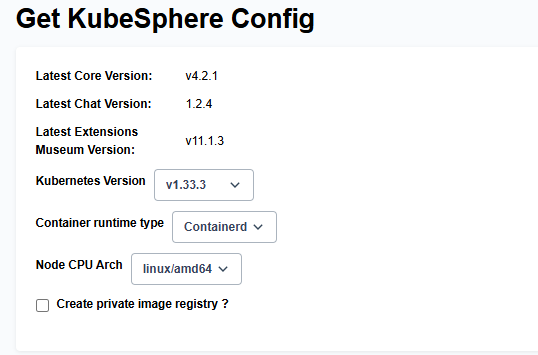
最开始时通过package.sh config.yaml创建离线镜像包没问题,不知道为何最近无法下载docker.io的镜像文件了。
现在的情况是,通过上述文档中的方式,使用kk artifact image推送离线镜像包中的镜像到已有的harbor仓库,或者通过kk创建harbor仓库在推送,都无法推送成功。提示如下:
Error: task ImageRegistry | Push images package to image registry run failed:
[harbor][executor]: module run failed
[harbor][item=<nil>][0]: failed to push image “quay.io/tigera/operator:v1.40.3” to remote: failed to perform “Exists” on destination: HEAD “https://hub.myhasbro.com/v2/tigera/operator/manifests/sha256:1dcf940c3b9cc2c5b0739e30a7d768442f615b8615b64813669ea885ad46afff”: response status code 401: Unauthorized。
inventory_init_registry.yaml或者inventory_sync_image.yaml提供的harbor的凭据都是能够正常通过docker login的。不知道为何不成功?除非官方文档中遗漏了某些关键的步骤。
操作系统是KylinOS V10.
